Climb Santa Claus Christmas Tower Christmas Tower Mobile Tips
Climb, slap, and finish on phone or tablet without fighting the touch controls.
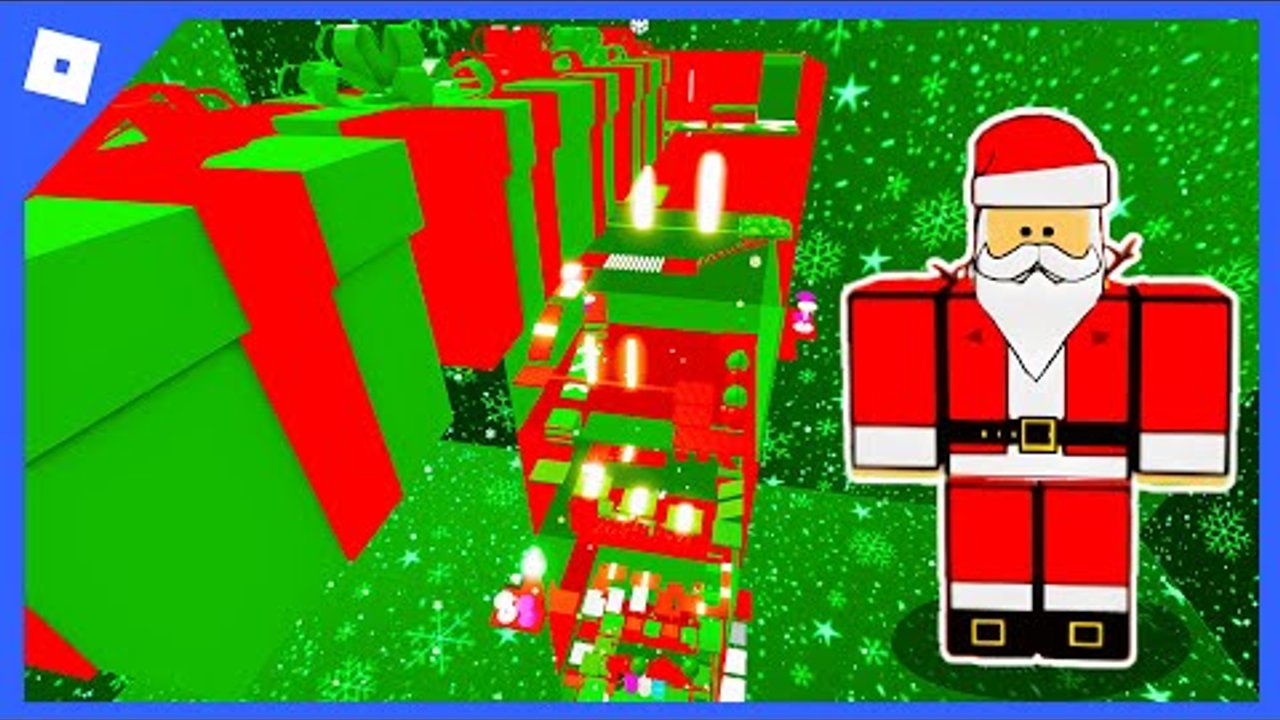
A huge share of Christmas Tower sessions happen on phones and tablets. Touch controls can clear the festive tower — Winner! and Free Slap are available on mobile — but default camera settings and crowded thumbs make mid-tower pads feel harder than on mouse + keyboard. This Mobile Tips Guide focuses on layout, sensitivity, jump rhythm, and slap timing so your device stops being the reason you fall.
Cross-read Controls for the full device matrix, then return here for phone-first habits. Route knowledge still lives in How to Beat.
Before you climb — five setup checks
- Graphics quality — Drop a notch or two if frames stutter on thin beams. Stable FPS beats pretty snow for jump timing.
- Camera mode — Use a mode that lets you drag to look without accidental jumps. Lock sensitivity slightly lower than your combat games.
- Shift lock / dynamic thumbstick — If your Roblox client offers improved thumbstick options, enable them for finer edge walks.
- Do Not Disturb — Banner notifications mid-jump are free deaths.
- Orientation — Landscape usually gives more horizontal pad visibility on Christmas Tower’s wide festive platforms.
Claim Free Slap on mobile the same way as PC: like the experience, join alpha & bri studio, fully rejoin, then check the hotbar.
Thumb layout that works
| Zone | Suggestion |
|---|---|
| Left thumb | Movement stick only — avoid tapping jump with the same thumb mid-strafe |
| Right thumb | Camera drag + jump button |
| Occasional | Quick tap Free Slap on flat checkpoints, never on one-stud beams |
| Both hands | Brief pause before committing to a long jump so camera settles |
If your jump button sits under the camera drag area, expect mis-taps. Remap or enlarge UI where Roblox settings allow. Claw grip (index on jump) helps advanced players but is optional for a first Winner!.
Jump timing on touch
Mobile players overshoot because the stick keeps drifting after takeoff.
Habits
- Walk to the edge, release the stick for a half-second, then jump.
- Land center-mass, then micro-correct with tiny stick nudges.
- On repeating gift / present platforms, count a personal rhythm (“plant, plant, jump”) instead of mashing.
- After a slap hit, wait until knockback ends before the next leap — touch players who panic-jump fly off sideways.
Practice the lower tower for five minutes every session solely to recalibrate. Muscle memory from a PC friend party will not transfer cleanly.
Free Slap and Santa Slap on mobile
Slap tools need a clear tap target. On busy holiday servers:
- Use Free Slap only on flat pads where missing will not yeet you off.
- Aim with a short camera flick, tap once, then return fingers to move + look.
- Do not hold slap while strafing a beam — you will walk yourself into the void.
- After you earn the Troll Prize, the same rule applies: flat ground aggression, beam neutrality.
Tier rankings on the Tier List still apply; execution is just slower on touch, so patience outranks greed.
Camera tricks for festive clutter
Christmas Tower loves trees, gifts, and glowing props. On a small screen those props hide landing edges.
- Zoom out one step farther than feels cinematic.
- Pitch the camera slightly downward on ascending stairs so the next pad appears early.
- When a prop blocks view, sidestep before jumping instead of guessing.
- For Secret Badge hunts, lower sensitivity further and sweep lobby walls slowly — invisible paths punish swipe overshoot.
Server choice matters more on mobile
Touch reaction time loses to a sweaty PC camper more often. Prefer:
- Morning or weekday off-peak servers (hundreds of CCU globally is fine; avoid the densest evening shards).
- Private friend servers when hunting Secret Badge (Players).
- Instant server hop when two trollers hard-camp the only staircase — your thumbs will not win that fight.
December 2025 peak concurrency near 4638 was brutal on phones; November 2026 quieter averages are friendlier for mobile clears, with spikes returning near holiday features (studio Updated stamp around 2026-11-27).
Battery, heat, and long sessions
Thermal throttling softens jump consistency halfway through a grind.
- Remove a thick case if the phone is hot.
- Lower brightness and close background apps.
- Take a two-minute break every few long falls — fatigue causes lip landings on any device.
- Plug in only if your device does not overheat while charging.
Mobile session plan (Winner! focused)
Block 1 (10 min): Lobby + lower tower, no slap fights, calibrate jump release.
Block 2 (15 min): Mid tower with Free Slap reserved for flat campers only.
Block 3 (15–20 min): Upper push on a quieter server; ignore chat bait.
Optional: After Winner!, swap to Secret Badge exploration at even lower sensitivity.
Common mobile failure modes
| Symptom | Likely cause | Fix |
|---|---|---|
| Constant overshoot | Stick drift during jump | Release stick before jump |
| Random jumps | Thumb hits jump while dragging camera | Adjust UI / claw grip |
| Free Slap missing | Soft rejoin failed | Full leave + join after group |
| Can’t see pads | Camera too tight / props | Zoom out, pitch down |
| Rage quits mid-upper | Peak slap lobby | Hop servers, reread How to Beat |
Related reading
- Controls — PC / mobile / console matrix
- Getting Started — first-hour checklist
- Speedrun Tips — when you want faster clears later
- Updates — layout changes after patches
Christmas Tower is absolutely finishable on mobile. Stabilize frames, release the stick before you leap, save slap taps for flat ground, and treat crowded shards as optional chaos — not your only practice environment.
Frequently Asked Questions
Quick answers to the most common questions.
Can I beat Christmas Tower on mobile?
Yes. Winner!, Free Slap, and Secret Badge are available on phone and tablet. Lower graphics, release the stick before jumps, and pick quieter servers for serious clears.
Why do I keep overshooting platforms on mobile?
The thumbstick often keeps drifting through the jump. Walk to the edge, release movement briefly, then jump and land center before micro-correcting.
How do I use Free Slap on touch controls?
Use it on flat checkpoints with a quick aim tap. Avoid swinging on thin beams where a miss knocks you off. Claim the gear via like + alpha & bri studio group join first.
Is mobile harder than PC for Christmas Tower?
Touch timing and camera clutter make mid and upper floors feel harder, especially in busy lobbies. Setup and server choice close much of the gap.